Seller guide · Marketplace video
How to prepare a clothing product video for online marketplaces
Create one product-accurate master first, then adapt it for each marketplace's real listing placement and current rules. Do not use channel adaptation to introduce a view, detail, or product claim that the source images never proved.
See how a three-image source set defines the master video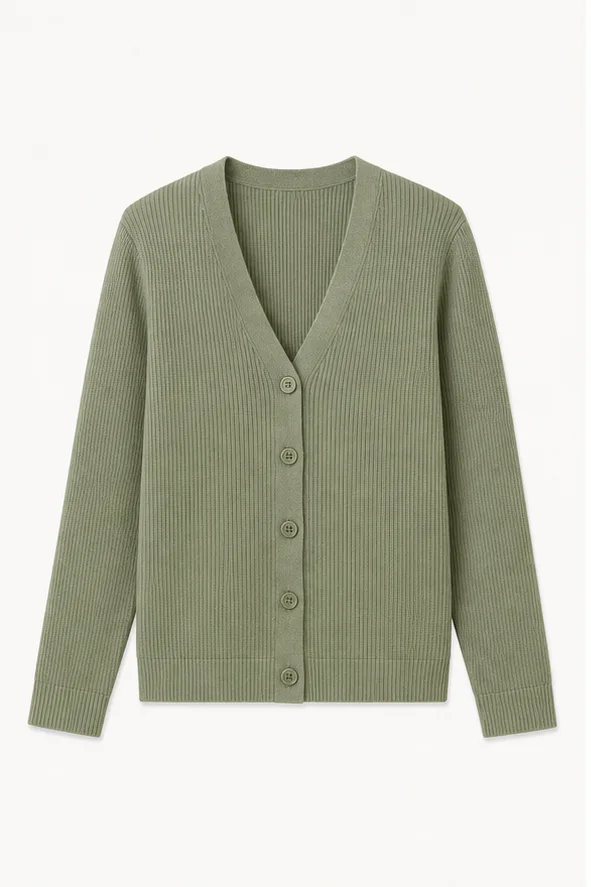
01
Create an accurate master before adapting channels
A marketplace version should start from one master that accurately represents the sellable SKU. Channel exports may change crop, cover, or duration, but they must not change garment facts.
Treat Amazon, Etsy, and other marketplaces as destination examples. AI Clothes Video does not provide native publishing integrations or guarantee that one export meets every current platform rule.
02
Keep every master shot tied to source evidence
The three-image clothing video workflow assigns front, back, and detail roles before shot selection. Unsupported views stay unavailable even when another marketplace layout would benefit from them.
The sage cardigan shown here is a synthetic source-ready set. Its knit, neckline, buttons, front, and back are evidence; it is not a finished or approved marketplace output.
- Use the exact sellable SKU and current production version.
- Keep color, trim, print, and silhouette consistent across all source images.
- Remove a planned shot when no source image proves it.
03
Choose duration by product information
Use one 8-second shot for one focused product question. Add a second, third, or fourth shot only when each contributes another supported fact that the listing needs.
The 8-, 16-, 24-, and 32-second comparison helps separate useful information from repeated motion.
04
Adapt aspect ratio and cover in the actual listing
Preview the master in the real image gallery, mobile page, and any placement where the marketplace allows video. Protect the garment from platform controls, crop, and small thumbnail treatment.
Use the clothing video aspect-ratio guide before exporting 9:16, 1:1, or 16:9 versions. Select a cover that remains truthful at the destination size.
05
Check current rules and review every exported version
Marketplace requirements can change. Verify the current documentation for file format, duration, dimensions, audio, text, moderation, and seller eligibility immediately before publication instead of relying on a permanent checklist in this article.
Run the AI clothing video publishing checklist on every exported version from start to finish. A valid master can still be damaged by a later crop, compression, cover, or channel edit.