Source decision · Background
White background or lifestyle scene: which works for a clothing video?
Use a clean or white background when the shot must make the garment easy to inspect. Use a real lifestyle scene when context is part of the message and you have permission to use it. In either case, the background cannot supply missing garment details.
See how every source image receives a defined role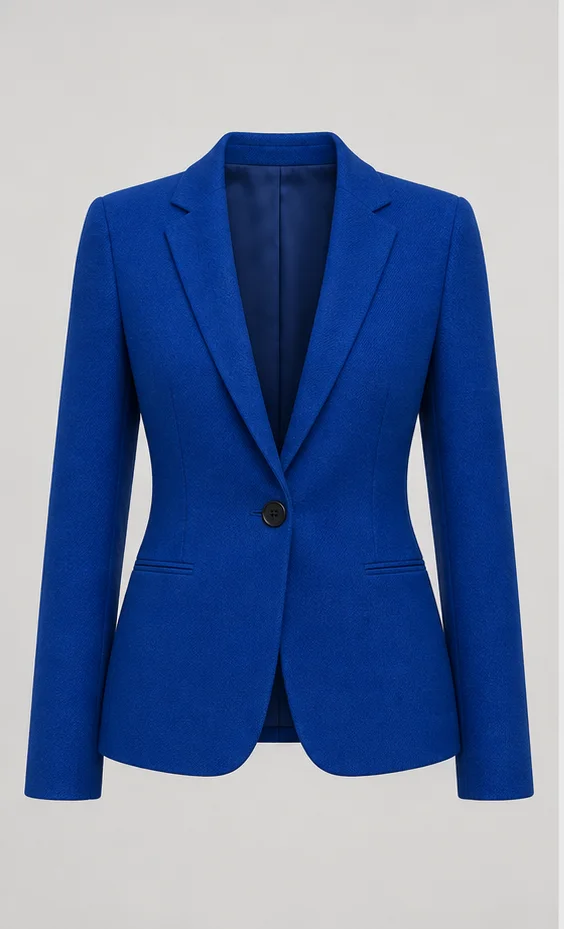
01
Give the background one clear job
A background can isolate the product, show scale, suggest a use occasion, or establish a visual mood. Problems begin when one image is expected to do all four jobs. Decide what the shot must communicate before choosing a source.
In the three-image clothing video workflow, front, back, and detail images remain the evidence for the garment itself. Background choice changes presentation; it does not expand which clothing views are proven.
02
Compare clean, flat-lay, and lifestyle sources
There is no universally best background. Choose the least complicated source that answers the buyer question without hiding the product.
| Source | Best use | Main advantage | Main risk |
|---|---|---|---|
| White or neutral background | Silhouette, construction, marketplace-style product view | Low visual competition | Weak context for occasion or scale |
| Flat lay | Outline, arrangement, visible front details | Garment can fill the frame | Does not prove worn fit or drape |
| Real lifestyle scene | Occasion, mood, environment | Adds recognizable context | Props, people, lighting, or clutter can obscure the garment |
03
Treat a scene image as atmosphere, not product proof
A scene image may guide background, lighting, and mood only. It should not be used to infer a different collar, fabric, print, accessory, body shape, storefront, or hidden garment view. Strong brand or real-store backgrounds also need actual source evidence and usage rights.
If the scene includes another garment, crop or replace it before use. Otherwise the model receives two competing answers about what the product looks like. Run the same-SKU consistency check whenever a scene and product image appear to disagree.
04
Keep backgrounds consistent across a sequence
A single good frame can still produce a weak multi-shot video if the floor line, light direction, color cast, scale, or camera height jumps between segments. Decide whether the background should stay continuous or whether a deliberate scene change adds new information.
The model, mannequin, and flat-lay comparison helps separate source format from background choice. Then map the selected source to one job with the shot-list guide.
- Match the dominant light direction and avoid strong color contamination.
- Keep the garment large enough to inspect in the final canvas.
- Remove props that overlap the neckline, sleeves, waist, or hem.
- Do not use background cleanup to redraw product edges or construction.
05
Choose the simpler first test
For a new SKU, start with the background that makes comparison with the source easiest. A restrained clean-background shot is often a better diagnostic than a complex scene because garment drift is easier to spot.
Once the product remains stable, test a scene only when it answers a different buyer question. Also verify the chosen video aspect ratio because a wide scene can become cluttered or lose the garment when cropped vertically.