Seller guide · New SKU launch
How to create a clothing product launch video from photos
Create the video only after the sellable SKU is fixed. Verify one matched front, back, and detail set, use one buyer question to plan an 8-second first version, and expand only after the result still matches the product that will go live.
See how three matched product images define available shots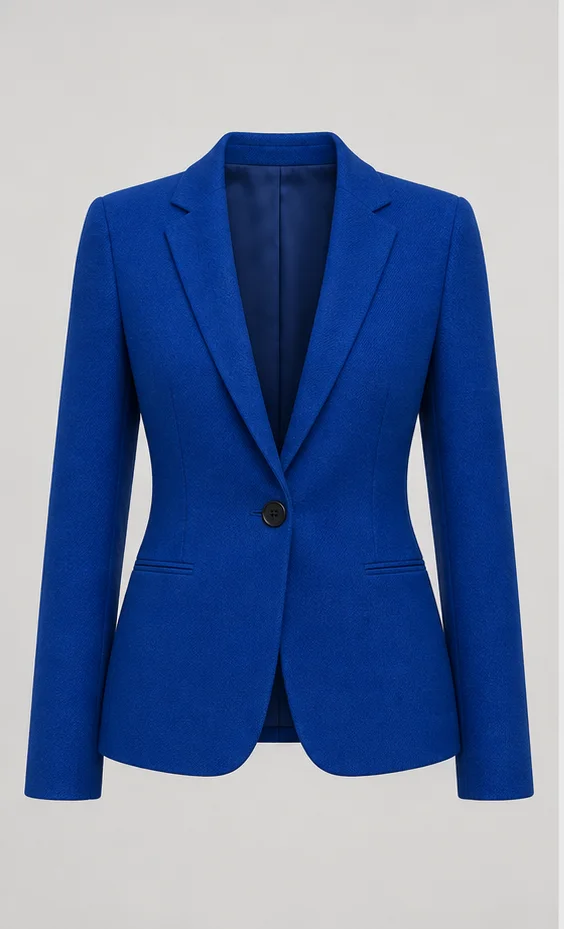
01
Freeze the sellable SKU before producing video
Do not start batch video production while color, trim, hardware, print placement, or production version is still changing. The video should describe the item buyers can actually order, not an earlier sample.
Record the SKU, colorway, sample version, launch destination, and first buyer question before selecting source images.
- Confirm the current sellable color and production version.
- Separate materially different variants into their own source sets.
- Hold video expansion when the listing images and physical sample disagree.
02
Build one traceable front, back, and detail set
The three-image clothing video workflow uses explicit source roles rather than three arbitrary uploads. Each image must belong to the launch SKU and answer a different visible question.
Run the same-SKU image consistency checklist before generation. Compare silhouette, color, seams, print position, closures, buttons, and other trim side by side.
03
Reshoot missing product facts instead of prompting around them
A clean re-export can fix file size, format, or excessive empty space. It cannot prove a missing back, covered closure, unreadable fabric detail, or conflicting production version.
Use the clothing photo reshoot decision guide to separate technical delivery problems from evidence gaps that need a new photograph.
| Issue | Launch action | Boundary |
|---|---|---|
| Large file or wrong format | Re-export the original | Keep visible product detail |
| Missing or covered view | Photograph the exact SKU again | Do not generate the missing fact |
| Conflicting trim or color | Confirm the sellable version | Do not merge variants |
04
Plan one buyer question for the 8-second first version
The first video does not need to summarize the entire launch. It needs to answer one useful question with evidence, such as the front silhouette, back closure, or one photographed detail.
Use the clothing product video shot-list guide to map each buyer question to a source image and restrained motion.
- 01Name the first buyer question.
- 02Select the source image that proves the answer.
- 03Generate one low-risk 8-second version.
- 04Compare stable frames with the complete source set.
- 05Add another shot only after the first version passes review.
05
Review the complete launch placement before going live
Preview the final crop, cover, neighboring product images, title, selected variant, and full playback in the actual storefront. Confirm rights and product claims before publishing.
A source-ready asset is not a finished result. The cobalt blazer shown here still needs generation and review before it can represent an approved launch video.